Four captive portal designs you can borrow — with the CSS, JavaScript, and SVGs
A captive portal is the first screen anyone sees on your guest WiFi. For hotels, cafes, stadiums, and campuses, that screen is also one of the most visible pieces of brand real estate you own — and it would be a shame to make it look like a 2008 Linksys login page.
The Art of WiFi captive portal gives you a full theming layer out of the box: two base templates (modern and classic), panel and accent colors, button and panel radius, logo width, background focus, floating labels — and, for the folks who want to go further, a custom-CSS box and a custom-JavaScript box. The four designs below show what you can do with that toolbox. Every one of them is a real splash page running on the platform, and every one of them is pure CSS and a handful of lines of JavaScript on top of a stock template.
Grab the CSS, borrow it, remix it. We have shipped a little of everything — a dark matchday skin, a warm cafe split-view, a quiet hotel sunset, and an institutional campus page with Microsoft Entra ID single sign-on — so you can pick the look closest to your venue and go.
Arena — matchday WiFi for a stadium
Arena
Stadium night, lime pulse
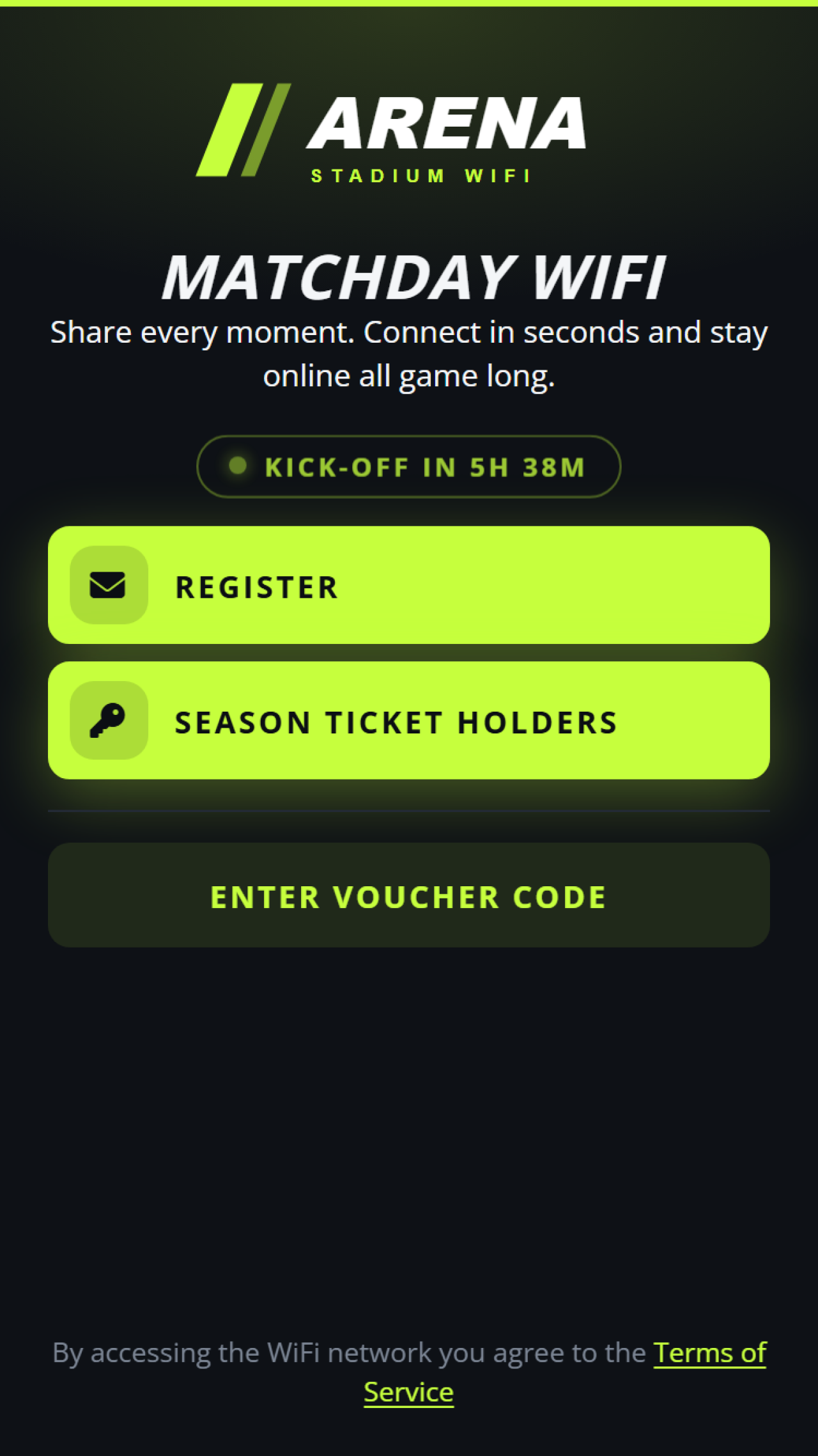
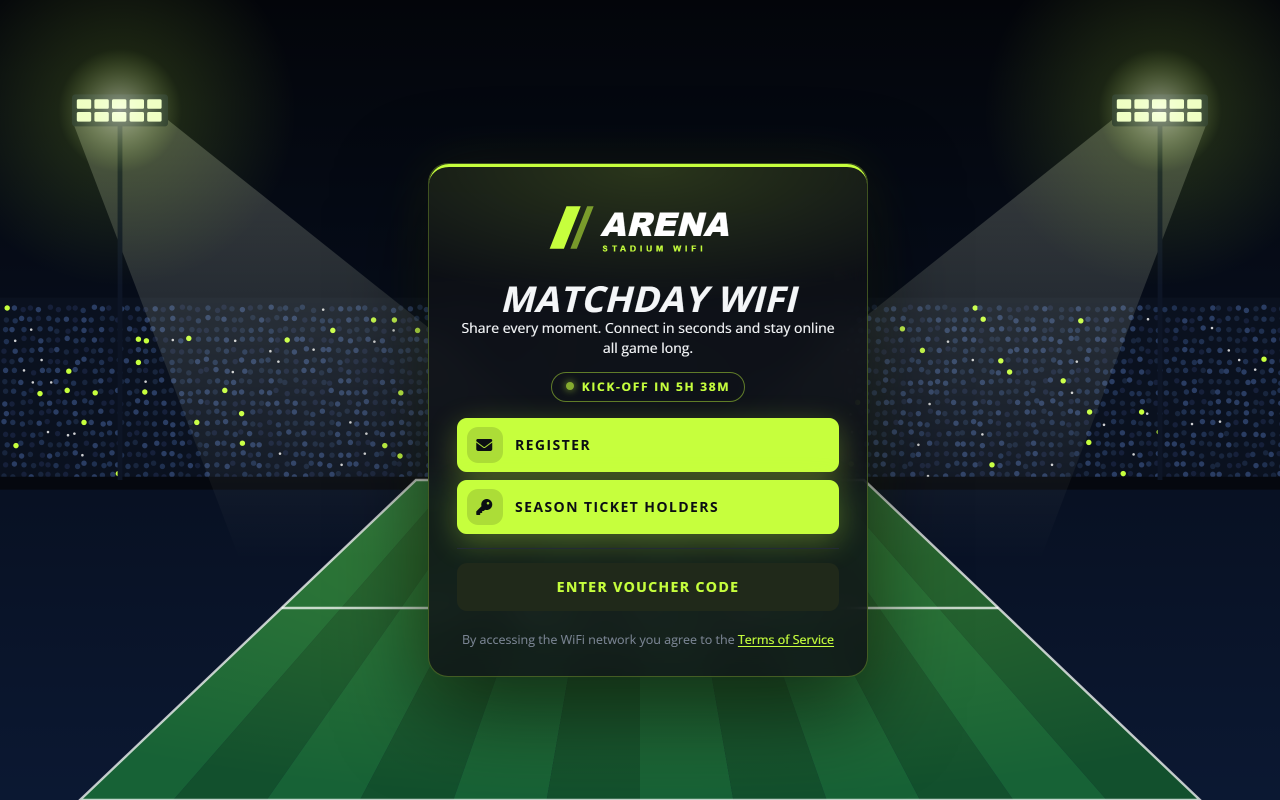
Dark panel. Lime-green accent. A pulsing live-indicator chip that counts down to kick-off, then flips to Live now and Full time. Spotlight-and-pitch background. The whole thing reads "matchday" before anyone looks at the heading.
The accent color is just one hex value — swap #c6ff3d for your club's lime, red, blue, whatever, and the dot, the glow around the primary button, and the live-chip border all follow. The Kick-off in 5h 38m chip is 22 lines of plain JavaScript (no library) that compares new Date() to the local kick-off time and re-rounds every 30 seconds.
Custom CSS
:root{--cp-ink-2:#9aa4b2;--cp-line:#232a36;--cp-field-border:#353e4d;--cp-on-accent:#0b0e13}
body{background:#0b0e13}
#header h3{font-family:"Open Sans",sans-serif;font-weight:700;font-style:italic;text-transform:uppercase;letter-spacing:.01em}
.btn-lg{text-transform:uppercase;letter-spacing:.1em;font-size:14px;font-weight:700}
.btn-primary{box-shadow:0 8px 30px rgba(198,255,61,.3)}
.btn-social>.fa{background:rgba(11,14,19,.14)!important;color:#0b0e13}
.cp-footer,.cp-footer a{color:#7d8796}
.cp-footer{text-align:center}
.arena-live{display:table;margin:14px auto 0;padding:5px 14px;border:1px solid rgba(198,255,61,.45);border-radius:999px;color:#c6ff3d;font-size:12px;font-weight:700;letter-spacing:.14em;text-transform:uppercase}
.arena-live::before{content:"";display:inline-block;width:8px;height:8px;margin-right:8px;border-radius:50%;background:#c6ff3d;box-shadow:0 0 8px #c6ff3d;vertical-align:1px}
.arena-live+.btn{margin-top:18px}
@keyframes arena-pulse{50%{opacity:.3}}
@media (prefers-reduced-motion:no-preference){.arena-live::before{animation:arena-pulse 1.6s ease-in-out infinite}}
.form-control,#language_selector,#back_to_splash_page,.input-group-addon,.modal-content{background-color:#151a22;color:#f4f6f8;border-color:var(--cp-field-border)}
#language_selector option{background:#151a22;color:#f4f6f8}
input:-webkit-autofill{-webkit-box-shadow:0 0 0 1000px #151a22 inset!important}
.cp-sheet::before{content:"";position:absolute;top:0;left:0;right:0;height:280px;pointer-events:none;background:radial-gradient(120% 70% at 50% 0,rgba(198,255,61,.16),rgba(198,255,61,0) 70%);border-top:3px solid #c6ff3d}
.cp-sheet>*{position:relative}
@media (min-width:768px){.cp-layout-centered .cp-sheet{background-color:rgba(14,17,22,.84);-webkit-backdrop-filter:blur(14px);backdrop-filter:blur(14px);border:1px solid rgba(198,255,61,.28);box-shadow:0 30px 90px rgba(0,0,0,.65),0 0 60px rgba(198,255,61,.08)}.cp-sheet::before{border-radius:var(--cp-sheet-radius) var(--cp-sheet-radius) 0 0}}
Custom JavaScript
(function () {
    /* splash page only: countdown to tonight's kick-off; set KICKOFF to the local start time (HH:MM) */
    var KICKOFF = '20:45';
    var sub = document.getElementById('sub_heading_div');
    if (!sub || !document.querySelector('.connect_button')) {
        return;
    }
    var chip = document.createElement('p');
    chip.className = 'arena-live';
    sub.parentNode.insertBefore(chip, sub.nextSibling);
    function pad(n) {
        return (n < 10 ? '0' : '') + n;
    }
    function tick() {
        var parts = KICKOFF.split(':'), now = new Date(), kickoff = new Date(now.getTime());
        kickoff.setHours(+parts[0], +parts[1], 0, 0);
        var minutes = Math.round((kickoff - now) / 60000);
        if (minutes > 0) {
            chip.textContent = 'Kick-off in ' + Math.floor(minutes / 60) + 'h ' + pad(minutes % 60) + 'm';
        } else if (minutes > -110) {
            chip.textContent = 'Live now';
        } else {
            chip.textContent = 'Full time';
        }
    }
    tick();
    setInterval(tick, 30000);
})();
Download the Arena assets: background.svg (floodlit pitch at night) and logo.svg (Arena wordmark).
Brew & Bean — free WiFi, fresh coffee
Brew & Bean
Cafe warmth, split-view layout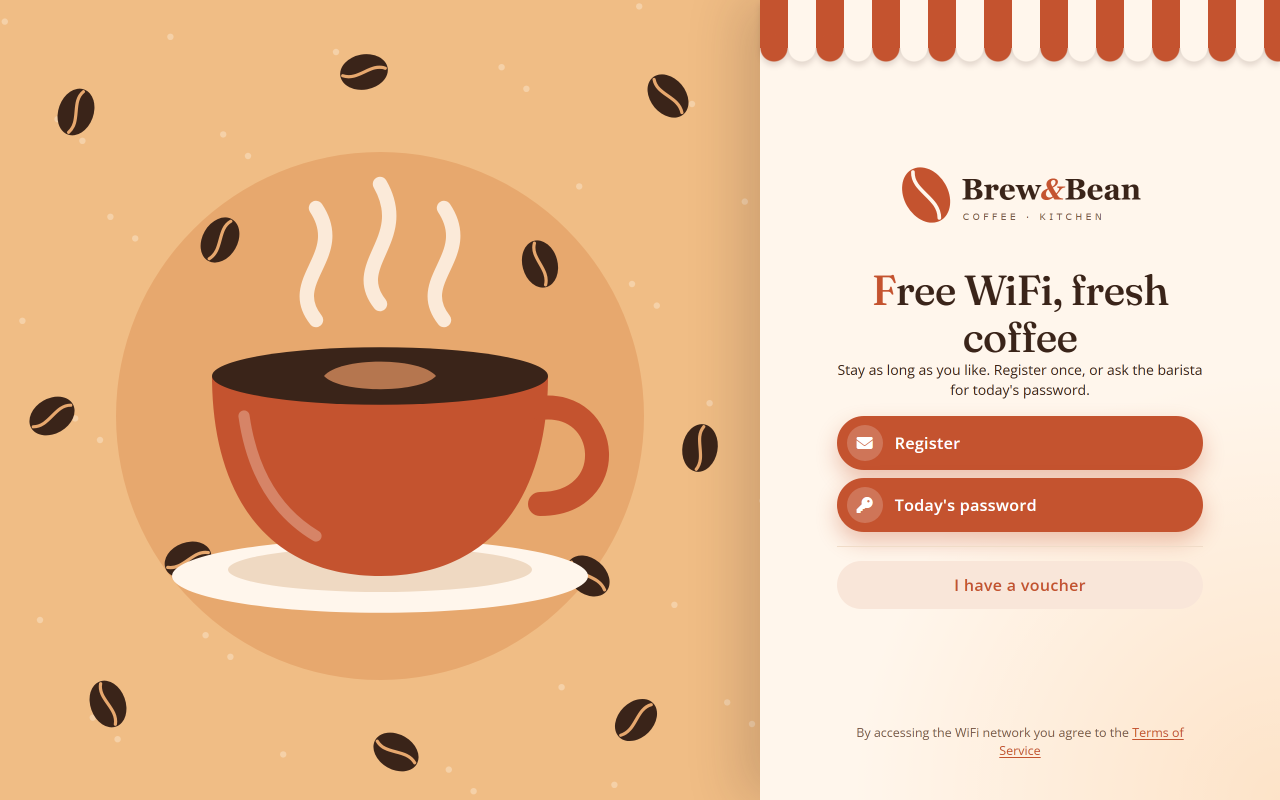
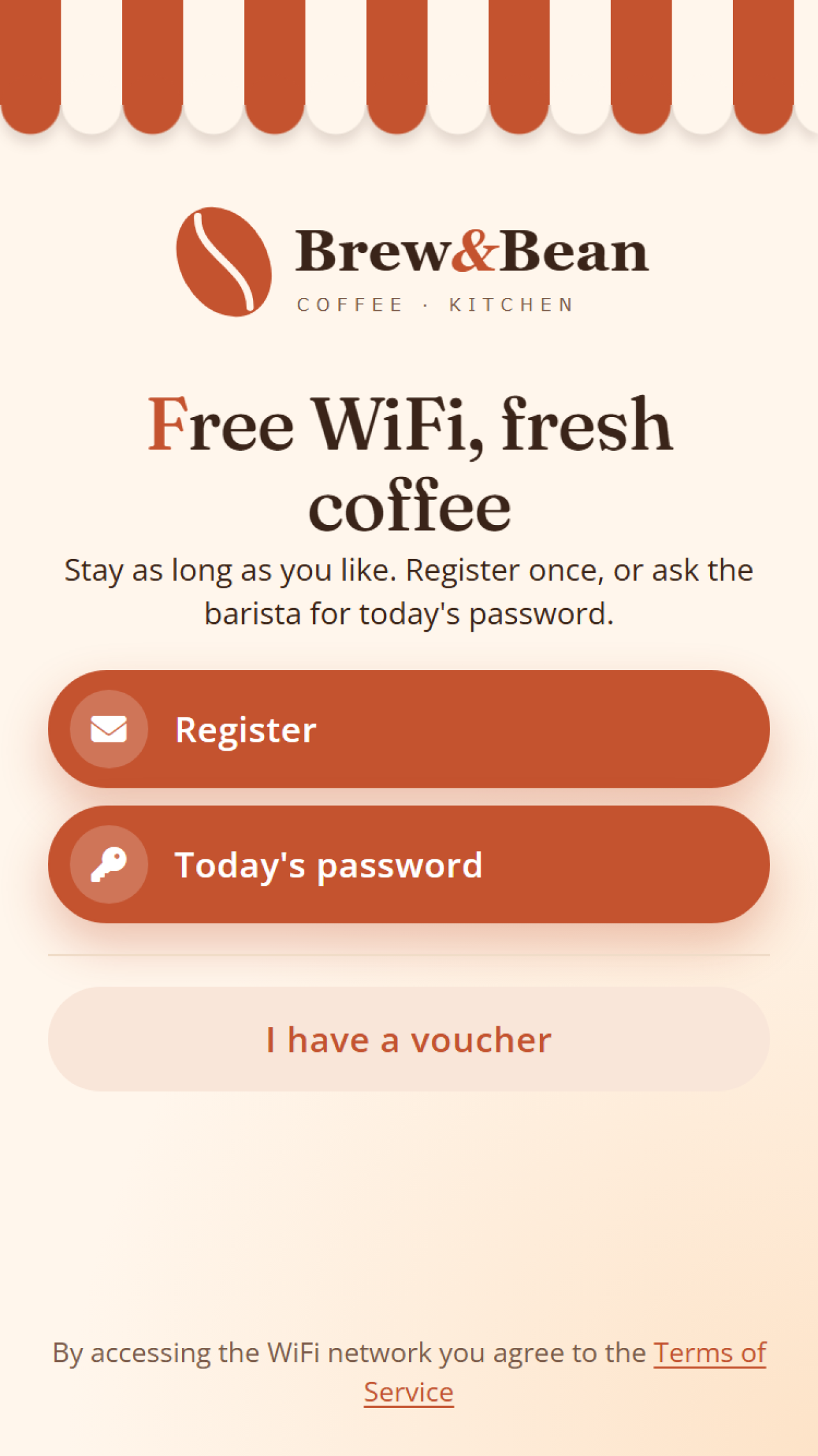
Warm cream and terracotta. A split desktop layout: a hero illustration on the left, the sign-in panel on the right. An awning-style scalloped strip across the top of the panel built entirely from radial gradients — no images, no SVG masking, pure CSS. On tablet widths the layout folds to top-and-bottom. On phones, the hero sits above the form.
The Free WiFi, fresh coffee heading uses ::first-letter to tint the leading F in terracotta — a classic typographic touch that costs you nothing. The button pills are shaped with modern_button_radius: 99 in the settings panel — no CSS needed for that one. No custom JavaScript on this design.
Custom CSS
:root{--cp-ink-2:#7a5a48;--cp-line:#f0dcc8;--cp-field-border:#e2c6ab}
.cp-sheet{background:radial-gradient(circle at 100% 100%,#fde3c8 0,rgba(253,227,200,0) 45%),var(--cp-sheet)}
.cp-sheet::before{content:"";position:absolute;top:0;left:0;right:0;height:64px;background:radial-gradient(circle at 14px 48px,#c4532f 13px,rgba(196,83,47,0) 14px) 0 0/56px 64px repeat-x,radial-gradient(circle at 42px 48px,#fff6ec 13px,rgba(255,246,236,0) 14px) 0 0/56px 64px repeat-x,linear-gradient(90deg,#c4532f 50%,#fff6ec 50%) 0 0/56px 48px repeat-x;filter:drop-shadow(0 4px 3px rgba(58,36,25,.15))}
.cp-logo{margin-top:56px}
#header h3{font-size:34px;color:#3a2419}
#header h3::first-letter{color:#c4532f}
.btn-lg{font-size:16px;letter-spacing:.02em}
.btn-primary{box-shadow:0 10px 22px rgba(196,83,47,.32)}
.btn-social>.fa{border-radius:50%!important;background:rgba(255,255,255,.2)!important}
.cp-footer{text-align:center}
@media (min-width:768px){.cp-layout-split body{grid-template-columns:minmax(0,1fr) minmax(440px,520px)}.cp-layout-split .cp-sheet{box-shadow:-20px 0 50px rgba(58,36,25,.18)}#header h3{font-size:42px}}
@media (min-width:768px) and (max-width:1023px){.cp-layout-split body{display:block}.cp-layout-split .cp-hero{min-height:36vh}.cp-layout-split .cp-sheet{min-height:64vh;box-shadow:0 -20px 50px rgba(58,36,25,.18)}}
Download the Brew & Bean assets: background.svg (steaming coffee cup) and logo.svg (Brew & Bean wordmark with coffee bean).
Harbour House — a hotel welcome at dusk
Harbour House
Hotel-elegant, serif heading, live clock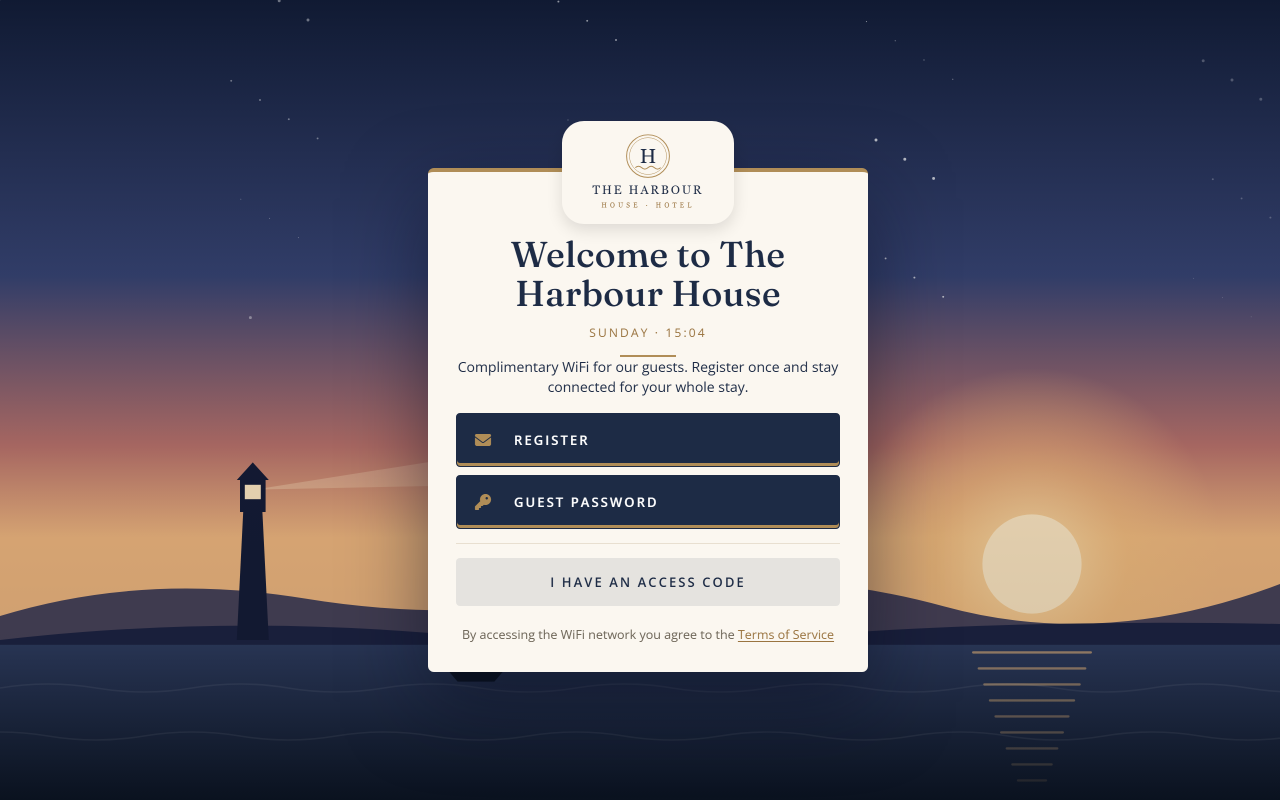
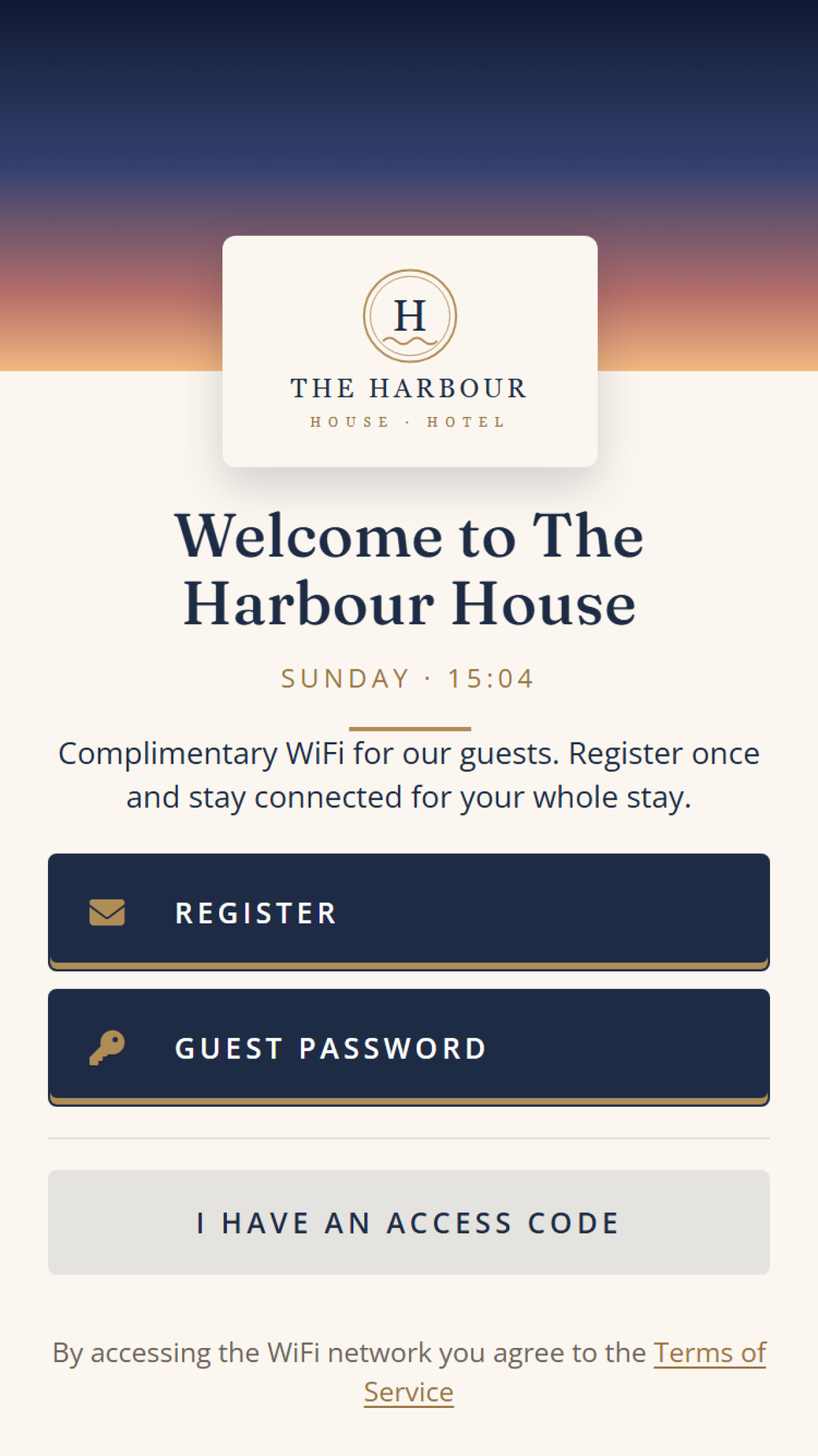
Hotel-elegant. A cream panel on a sunset-over-water scene with a quiet lighthouse. Bronze accent. Serif heading. Underneath, a live SUNDAY · 15:04 line pulled from new Date() and refreshed every 20 seconds — a tiny detail that makes the splash page feel in-the-moment instead of static.
On mobile, the panel takes the full width and the top of it fades into a navy–sunset–apricot gradient — the same sky from the desktop background compressed into a 170 px strip. On desktop, the whole sunset illustration shows through. The logo is set as a badge in the settings panel, which gives it the little floating card at the top of the sheet.
Custom CSS
:root{--cp-ink-2:#6b6355;--cp-line:#e8dfd0;--cp-field-border:#d9cdb8}
#header h3{font-weight:400;letter-spacing:.01em}
#header::after{content:"";display:block;width:56px;height:2px;margin:14px auto 0;background:#b08d57}
.hh-clock{margin:10px 0 0;text-align:center;font-size:12px;letter-spacing:.18em;text-transform:uppercase;color:#9a7440}
.btn-lg{text-transform:uppercase;letter-spacing:.16em;font-size:13px}
.btn-primary{box-shadow:inset 0 -3px 0 #b08d57}
.btn-social>.fa{background:none!important;color:#b08d57}
.cp-footer{text-align:center}
@media (min-width:768px){.cp-layout-centered .cp-sheet{border-top:4px solid #b08d57;box-shadow:0 30px 80px rgba(8,12,30,.5)}}
@media (max-width:767px){
.cp-sheet::before{content:"";position:absolute;top:0;left:0;right:0;height:170px;background:linear-gradient(180deg,#101a33,#34406e 45%,#b8706a 80%,#f2b880)}
.cp-logo{position:relative;margin-top:84px;padding:10px 14px;background:var(--cp-sheet);border-radius:6px;box-shadow:0 8px 20px rgba(16,26,51,.18)}}
Custom JavaScript
(function () {
    /* splash page only: show the local day and time under the heading */
    var header = document.getElementById('header');
    if (!header || !document.querySelector('.connect_button')) {
        return;
    }
    var line = document.createElement('p');
    line.className = 'hh-clock';
    header.appendChild(line);
    function tick() {
        var now = new Date();
        line.textContent = now.toLocaleDateString([], {weekday: 'long'}) + ' · ' +
            now.toLocaleTimeString([], {hour: '2-digit', minute: '2-digit'});
    }
    tick();
    setInterval(tick, 20000);
})();
Download the Harbour House assets: background.svg (lighthouse at dusk) and logo.svg (H monogram).
Northfield — campus WiFi with Microsoft Entra ID sign-in
Northfield University
Classic template, Entra ID SSO, low-poly backdrop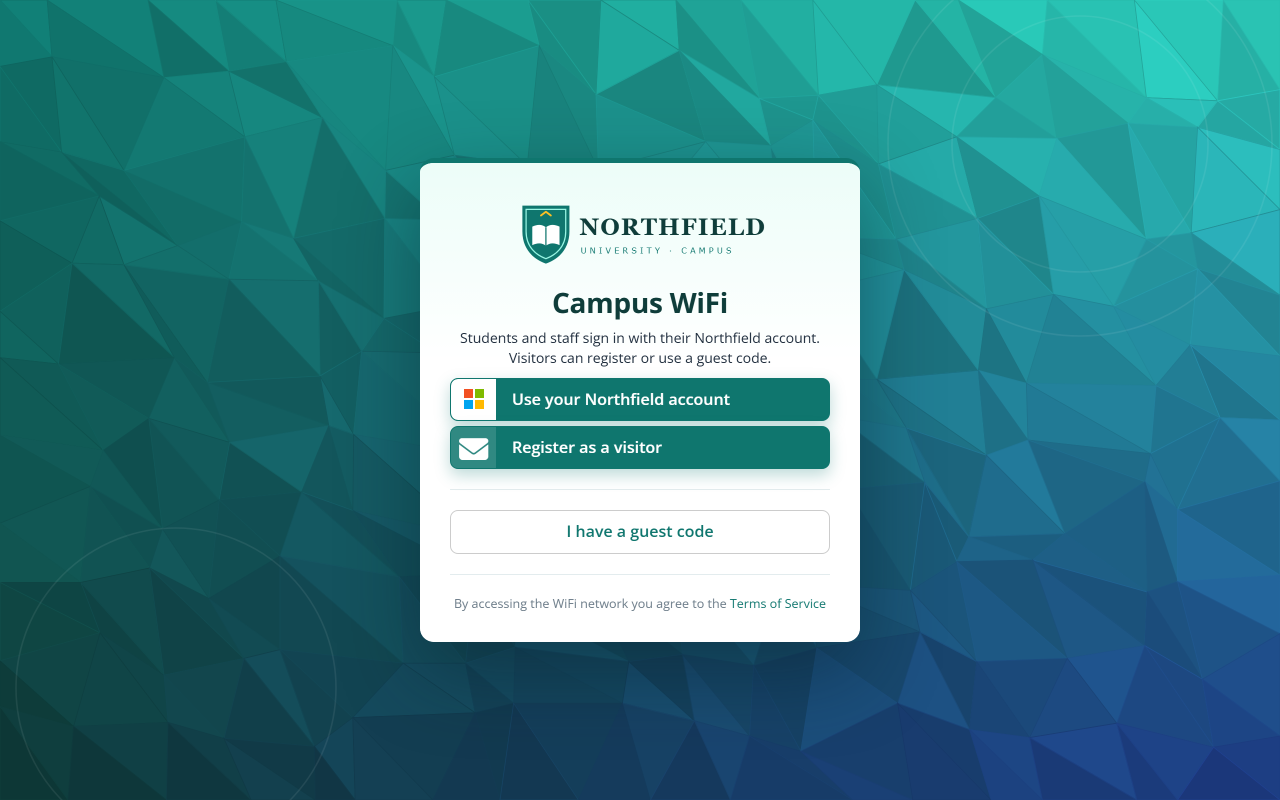
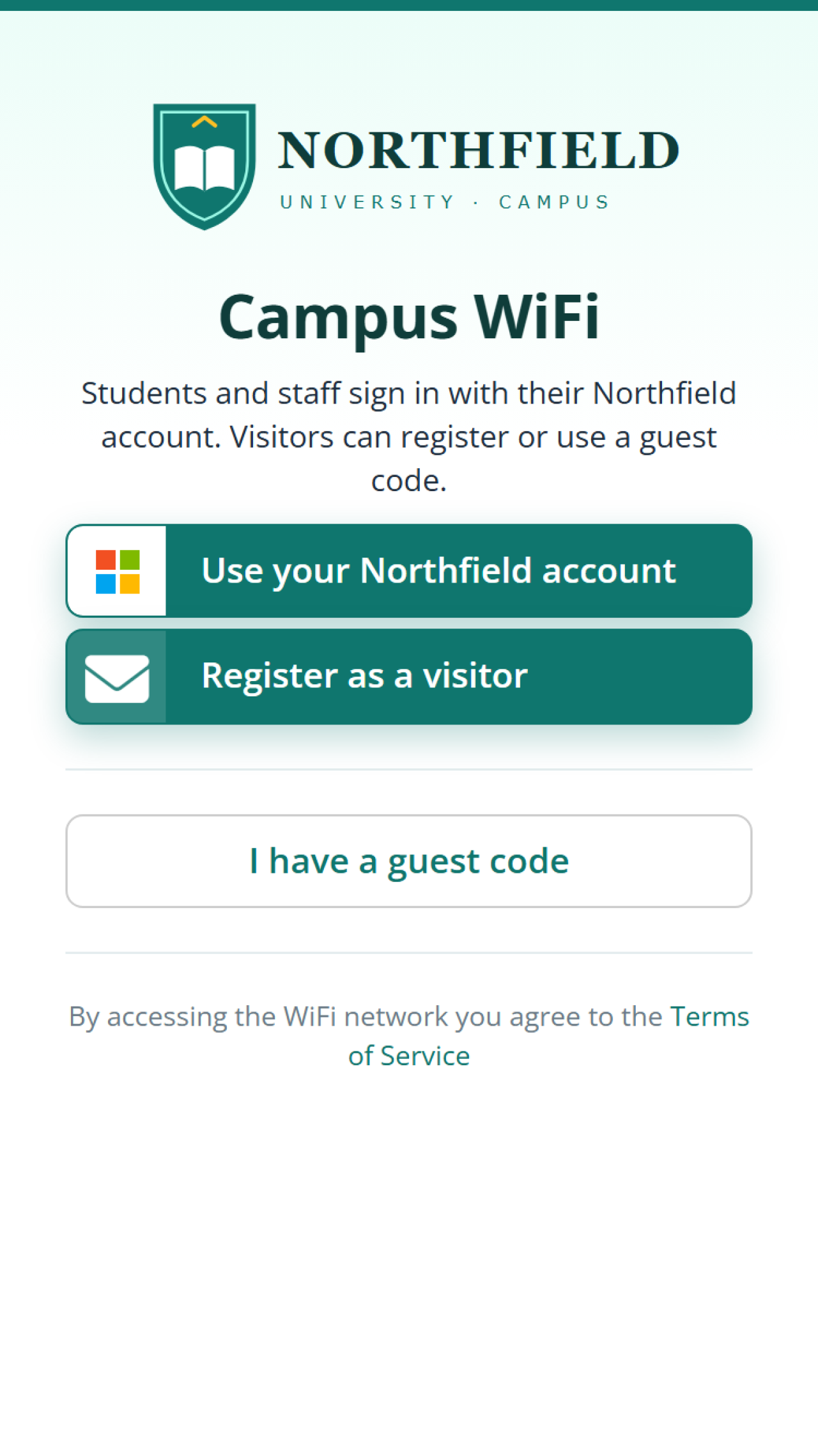
Teal and blue, clean and institutional. A low-polygon triangle background in two gradient tones. A shield-and-book monogram. The panel sits dead-centre with a soft drop shadow against the saturated backdrop.
This one is on the Classic template — proof the design toolbox works just as well there as on Modern. Use your Northfield account is a Microsoft Entra ID (Azure AD) single sign-on button; the four-colour Microsoft logo on the left is painted with four CSS linear gradients, no image asset. Students and staff sign in with their campus Microsoft account, visitors get the self-registration or guest-code path. No custom JavaScript needed.
Custom CSS
.panel.panel-default{border:0;border-top:5px solid #0f766e}
.panel-body{padding:28px 30px 20px;background:linear-gradient(180deg,#ecfdf8 0,#ffffff 200px)}
.cp-logo{margin:6px auto 4px}
#header h3{margin-top:16px;font-size:28px;font-weight:700;letter-spacing:-.01em;color:#0f3d3a}
#sub_heading_div p{text-align:center;color:#5b6b78}
.btn-lg{font-size:16px;font-weight:600}
.btn-primary{box-shadow:0 6px 16px rgba(15,118,110,.28)}
.btn-social>:first-child{border-right:0;background:rgba(255,255,255,.14)}
hr{border-top-color:#e3ecee}
#tos_footer_message_div,#captive_portal_footer_message_div{text-align:center;font-size:12.5px;color:#6b7b88}
@media (min-width:767px){
body{display:flex;align-items:center;justify-content:center;min-height:100vh;margin:0}
.no-gutter{float:none;width:440px;max-width:94%;margin:0!important;padding-top:0}
.panel.panel-default{box-shadow:0 30px 80px rgba(5,30,40,.45)}}
a.btn-primary,a.btn-primary:link,a.btn-primary:visited,a.btn-primary:hover{color:#ffffff}
#azure_ad_login_button>.fa{display:flex;align-items:center;justify-content:center;background:#ffffff!important;border-radius:7px 0 0 7px}
#azure_ad_login_button>.fa::before{content:"";display:block;width:20px;height:20px;background:linear-gradient(#f25022,#f25022) 0 0/9px 9px no-repeat,linear-gradient(#7fba00,#7fba00) 11px 0/9px 9px no-repeat,linear-gradient(#00a4ef,#00a4ef) 0 11px/9px 9px no-repeat,linear-gradient(#ffb900,#ffb900) 11px 11px/9px 9px no-repeat}
Download the Northfield assets: background.svg (low-poly teal mesh) and logo.svg (shield and book monogram).
A note for CPaaS customers
If you are on our CPaaS (hosted captive portal) service, you can still ship custom JavaScript on your splash pages — just email your code to support@artofwifi.net and we will publish it to your captive portal(s) after a short security review. Custom CSS, logos and SVG backgrounds go straight into your admin panel the moment you upload them; JavaScript gets the extra review step because it runs on your visitors' devices and we want to make sure nothing in it does anything surprising.
Self-hosted customers have direct access to the custom-JavaScript box in the admin panel — the review step does not apply there.
Where to go from here
These are starting points, not finished templates. Every design above was built in a few hours by combining the stock settings, four or five custom-CSS rules, and (sometimes) a one-screen JavaScript file. Swap the colour variables, replace the SVG background and logo, change the copy, and you are 90% of the way to your own.
If you would rather not touch code at all, the Modern template on its own — just the colour pickers, radius sliders, logo upload, and background image — will take you a long way. The CSS and JavaScript boxes are there for the moments when you want to go further: a club countdown, a hotel clock, a cafe awning, a university Microsoft sign-in. All four of them live in the same product.
Want to try it against your own brand? Start a free trial of the Art of WiFi captive portal, or book a demo and we will walk you through the design toolbox live.